
Dosecast - Pill Reminder App
Montuno Software, LLCMedical
3.52.05K Reviews
- Version
- 6.0.12
- Installs
- 100.00K
- Age Rating
- Everyone
Screenshots
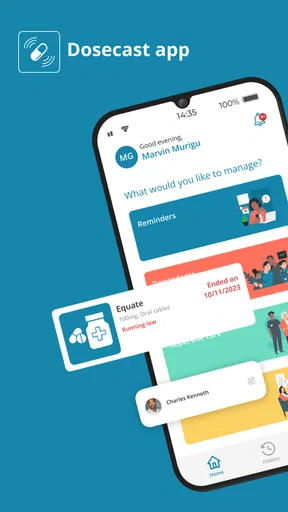
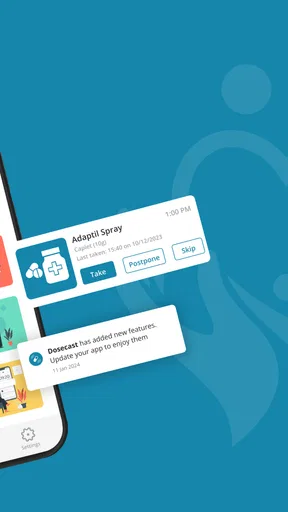
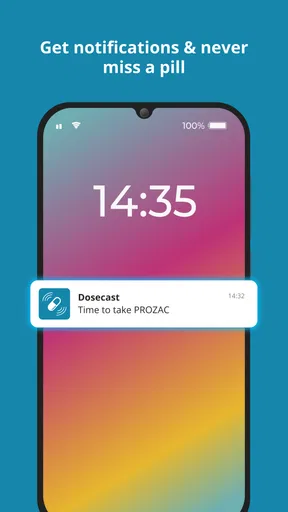
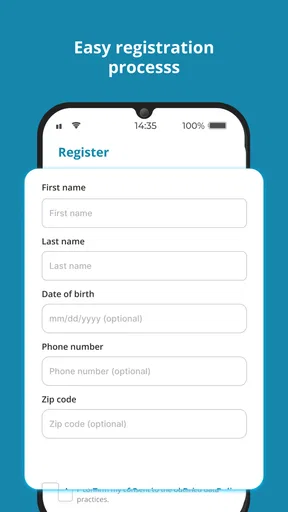
Our Review of Dosecast - Pill Reminder App
 Analysis by Appyee
My first impression of Dosecast is that it is built around a practical problem: remembering what to take and when, without turning medication tracking into another complicated task. I find it most useful when several medicines follow different routines, because a single, repeatable place to check the plan is easier to trust than scattered notes or alarms. It is a medical app from Montuno Software, LLC, and its long-running presence gives it a more established feel than a brand-new reminder tool.
A routine that starts with a clear schedule
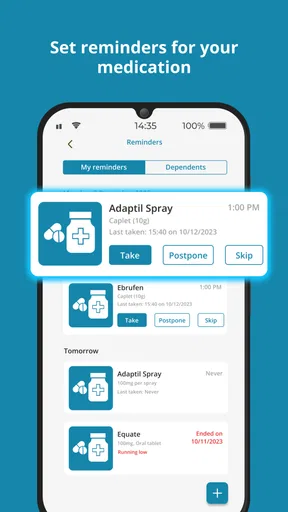
The basic workflow is familiar: add a medicine, enter its dosage and timing, then use reminders to keep the routine in view. That makes the first setup approachable, but the value depends on taking a few minutes to enter details carefully. I would check each medicine against its packaging or instructions from a clinician rather than relying on memory while building the schedule. A reminder app can help organize a plan; it cannot decide whether that plan is medically appropriate.
For someone taking one tablet at the same time each day, a phone alarm may be enough. Dosecast makes more sense when different medicines have different frequencies, or when a person needs a consistent record of what is due. Its support for daily, weekly, and as-needed schedules gives it room to handle more than a simple morning alarm. The useful distinction is that an as-needed reminder should not be treated like a fixed dose: I would use it to keep a medication in the plan, not as a prompt to take it without considering the directions.
Build the habit around the reminder
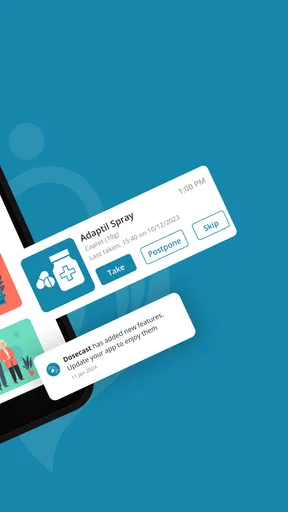
I get the most from a reminder when it is attached to an action I already do. For example, someone who takes a medicine with breakfast can treat the notification as a cue to check the dose, take it as directed, and then record or clear the reminder in the app. The point is not to make the phone responsible for the whole routine; it is to use it as a reliable checkpoint. If a notification arrives while I am driving, working, or away from the medicine, I would snooze it only if that option suits the situation, then make sure I return to it rather than dismissing it automatically.
This is also where repeatable habits matter more than adding lots of reminders. Multiple alerts can become background noise, especially when the schedule is already predictable. I would start with the actual dose times and instructions, then adjust only if I find that a particular reminder is easy to miss. A short, consistent routine—check the alert, verify the medicine, take it as directed, and clear the prompt—reduces the chance of confusing a notification with proof that a dose was taken.
The Basics of Dosecast
At its core, Dosecast is a pill reminder app designed to help you keep track of your medication schedule. Whether you’re managing chronic conditions or just need a reminder for the occasional supplement, Dosecast has got you covered. The app is available on both Android and iOS, so no worries there if you switch devices often.
Setting Up Made Simple
Getting started with Dosecast is a breeze. After downloading the app, you’re greeted with a clean and user-friendly interface. The app guides you through setting up your medication schedule. You simply enter the name of the medication, dosage, frequency, and the times you need to take it. The app even allows you to customize reminders with specific instructions, which is super handy if you have complex medication requirements.
Features That Stand Out
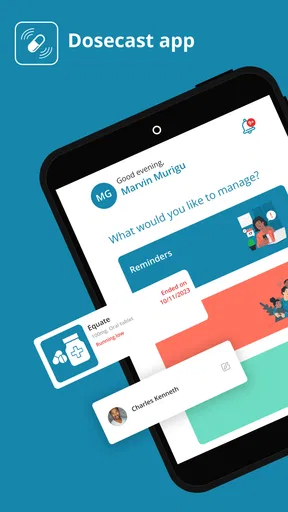
One of the standout features is the flexibility in scheduling. Not all medications are taken daily, and Dosecast gets that. You can set reminders for daily, weekly, or even on an as-needed basis. The app also supports multiple users, which is a game-changer for families managing medication for different members.
Another feature I love is the backup and restore option. If you ever need to switch phones or reinstall the app, you won’t lose your data. This feature saves a lot of time and hassle.
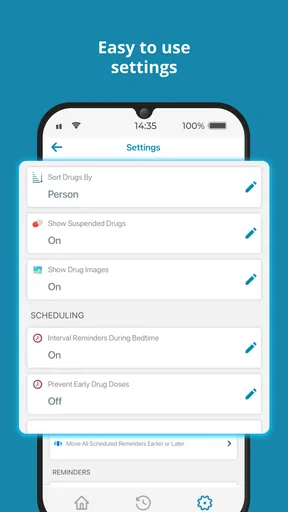
Settings worth checking before you rely on it
After entering a schedule, I would review the timing and instructions while looking at the day as a whole. That catches practical conflicts a medicine-by-medicine setup can hide, such as two reminders arriving together when you need to handle them separately. It is also worth considering whether a reminder should be tied to a regular routine or left at a specific time. If work shifts or weekends change your day, a fixed alert may need more attention than one aligned with a stable habit.
Before depending on any medication reminder, check that the phone itself is allowed to deliver notifications in the way you expect. A quiet phone, an altered notification setting, or a device that is not nearby can defeat even a well-built schedule. I would test a reminder at a convenient time after setup and confirm that it appears clearly. This is a general phone-use check, not a special Dosecast feature, but it is an easy step that can prevent false confidence.
For a family, multiple users can help keep separate routines from blending together, but I would still make the person’s identity obvious in the way the family organizes the app. The person responding to a notification should know whose medicine it concerns before acting. This matters most when a caregiver manages reminders for someone else: the app can support organization, but family members still need a shared understanding of who checks each alert and how they communicate if a dose is delayed.
Faster patterns for busy days
A useful way to reduce daily friction is to treat setup as a small project rather than a rushed task. I would enter one medicine at a time, verify its directions, and review the schedule before adding the next. That makes errors easier to spot than entering several items from memory and trying to untangle them later. When a prescription changes, I would update the relevant entry promptly and then inspect the next few reminders, rather than assuming the old schedule will remain harmless in the background.
Consider a realistic day: a person has a morning medicine, a separate weekly dose, and an as-needed item. The morning notification can anchor the daily routine, while the weekly reminder is best checked against the calendar so it is not mistaken for a daily task. The as-needed entry should remain a reference to the person’s instructions, not an invitation to take more or take it sooner. This kind of distinction is where a schedule app can be more useful than a row of identical alarms, provided the entries are kept accurate.
For people who switch phones, the backup and restore option is particularly relevant. I would make the transfer part of the device-change checklist, alongside confirming that the schedule is present on the new phone and that alerts still arrive. A backup is valuable, but it should not be treated as a substitute for checking the restored information. That quick review is especially important when a person has changed medicines or timing since the last time the data was saved.
Why It’s a Game Changer
Before using Dosecast, I often found myself forgetting doses, especially during hectic days. But now, those gentle nudges from the app have become my safety net. It’s like having a digital assistant dedicated to my health. The reminders are subtle yet effective, and the relief of not having to worry about missing a dose is truly invaluable.
Where it fits among other reminder options
Compared with a basic alarm, Dosecast is more useful when a person needs separate medication entries, varied schedules, or reminders for more than one user. A standard calendar can be a reasonable choice for occasional appointments or a simple recurring task, but it may be less convenient when the goal is to keep medication routines together. Conversely, someone with only one stable daily dose may find the extra setup unnecessary and prefer the alarm already built into the phone.
It is not a replacement for a pharmacy’s instructions, a clinician’s advice, or a caregiver’s direct supervision. Nor would I choose a reminder app as the sole safeguard for a situation where a missed or duplicated dose could create immediate risk. In those cases, the person and their care team should decide what checks are appropriate. Dosecast is best viewed as an organizational aid: it can make a plan easier to follow, but it cannot verify that the right medicine was taken or resolve uncertainty about a dose.
The app is free to start, with in-app purchases ranging from $1.99 to $27.99 per item. I would look at the available options inside the app before assuming every feature is included at no cost. Its average rating is 3.5 from around 4,600 ratings, with roughly 2,000 written reviews, and it has passed 100,000 installs. Those figures suggest a real user base, but they are not a substitute for deciding whether its workflow suits your own needs.
Thoughts on Usability
The app is designed with the user in mind. Navigating through it is intuitive, and the learning curve is practically non-existent. The design is straightforward, focusing on functionality rather than fancy graphics, which I appreciate. The notifications are clear, and you can snooze or dismiss them easily, allowing for flexibility in your schedule.
Limits to keep in mind
The same flexibility that helps with varied schedules also asks for careful maintenance. A medication list can become outdated when a prescription changes, and an old alert may keep appearing unless the person responsible revisits the entry. I would make schedule review part of a medication change, not an occasional cleanup task. If a caregiver and the person taking the medicine both use the app, they should agree who updates the list so that two different versions of the routine do not emerge.
Some people also need more than reminders: they may want detailed adherence reports to share with a healthcare provider, or close integration with health devices. I would not assume Dosecast fills those needs simply because it tracks medication. The original app experience is centered on managing reminders, and anyone who needs formal reporting should check whether its current tools meet that requirement before relying on it. This is a meaningful trade-off: a focused reminder can feel simpler, but it may not satisfy users looking for a broader health dashboard.
It is also worth matching the app to the person who will actually use it. Someone comfortable checking a smartphone and responding to notifications may find the routine natural. A person who rarely keeps their phone nearby, has difficulty reading its alerts, or needs another person to administer medication may need a different support system alongside—or instead of—an app. A reminder only helps when it reaches the right person at the right moment.
What Could Be Improved
While Dosecast is pretty solid, there’s always room for improvement. I’d love to see more integration with other health apps and devices. Imagine syncing it with a smartwatch or a fitness tracker. That would take monitoring to the next level. Additionally, a more robust reporting feature would be helpful for those who need to share medication adherence with healthcare providers.
Who I’d recommend it to
I would recommend Dosecast to someone who is juggling several medicines with different rhythms, or to a household trying to keep separate medication routines organized. It is also a sensible option for a person who has tried ordinary alarms and found that they do not provide enough context to distinguish one medicine from another. The app’s flexibility is most valuable when the schedule itself is the challenge, not when the main need is clinical advice or a complete medical record.
I would skip it if a single daily phone alarm already works reliably, or if the person taking the medicine will not have dependable access to a phone. I would also look for a different tool if the priority is advanced reporting or deeper connections to other health services. Dosecast has been available since March 13, 2012, and its current version is 6.0.12; it is rated for Everyone and requires iOS 8.0 or later. That broad age rating does not mean every child should manage medication independently, so an adult should remain responsible where supervision is needed.
Final Thoughts
Overall, Dosecast has become an indispensable part of my daily routine. It takes the guesswork out of medication management and provides peace of mind. For anyone looking to streamline their medication schedule, this app is definitely worth a try. It’s reliable, easy to use, and does exactly what it promises without any unnecessary bells and whistles.
So, if you’re tired of post-it notes and phone alarms that don’t quite cut it, give Dosecast a shot. You might just find it’s the health assistant you didn’t know you needed.
Verdict
Strengths of Dosecast - Pill Reminder App
- User-friendly interface for easy navigation.
- Customizable alerts fit individual schedules.
- Supports multiple medication regimens.
- Offline functionality ensures reliability.
- No ads for a distraction-free experience.
Limitations of Dosecast - Pill Reminder App
- Limited free version features.
- Occasional notification delays.
- No integration with fitness apps.
- Lacks advanced health tracking tools.
- Subscription required for premium features.
Similar Picks in This Category
View All
WebMD: Symptom Checker
WebMD, LLC4.1

Microphone Amplifier
DOSA Apps4.2

Anatomy Learning - 3D Anatomy
3D Medical OU4.5

Period Tracker and Calendar
SimpleInnovation4.9

GoodRx: Prescription Coupons
GoodRx4.8

CVS Health
CVS Pharmacy4.5
Frequently Asked Questions
What platforms is Dosecast available on?
Dosecast is available for both Android and iOS platforms. You can download it from the Google Play Store for Android devices and the Apple App Store for iOS devices. This ensures compatibility with a wide range of smartphones and tablets, providing flexibility for users regardless of their preferred operating system.
Does Dosecast require an internet connection to function?
Dosecast does not require a constant internet connection to function effectively. The app stores your medication schedules and reminders locally on your device. However, an internet connection may be needed for backing up data to the cloud or for any updates and syncing across multiple devices.
Can Dosecast handle complex medication schedules?
Yes, Dosecast is designed to accommodate complex medication schedules. It allows users to set reminders for different dosages at various times of the day, including hourly, daily, weekly, or monthly schedules. Users can also set reminders for medications that need to be taken on an empty stomach or with food.
Is Dosecast free to use, or does it require a subscription?
Dosecast offers a free version with basic features. For users who require more advanced features, such as syncing across multiple devices or additional customization options, Dosecast provides a premium subscription. The subscription is available on a monthly or yearly basis, offering flexibility depending on user needs.
How does Dosecast ensure user privacy and data security?
Dosecast is committed to ensuring user privacy and data security. The app uses encryption to protect user data, and personal information is not shared with third parties without consent. Additionally, users can opt to back up their data securely to the cloud, ensuring it is safely stored and easily recoverable.
